Notifications
OctoPunk completely reimagines how notifications work in the GitHub platform.
One of the most repeated complaints we hear about GitHub is how unmanageable the notification system can be.
Users are often shown a firehose of events that are hard to organize and make sense of.
Likewise, the GitHub platform does not allow filtering certain events to your user, creating even more noise as you receive events for organizations and groups without a great way to filter them.
OctoPunk solves this by both filtering notifications and performing post-notification enrichment.
The following video clip gets you acquainted with the notification system.
Usage
Open the notifications page with ⌘+PShow Notifications.
OctoPunk organizes notifications by filters.
A filter is created by clicking the plus button on the notifications primary tab.
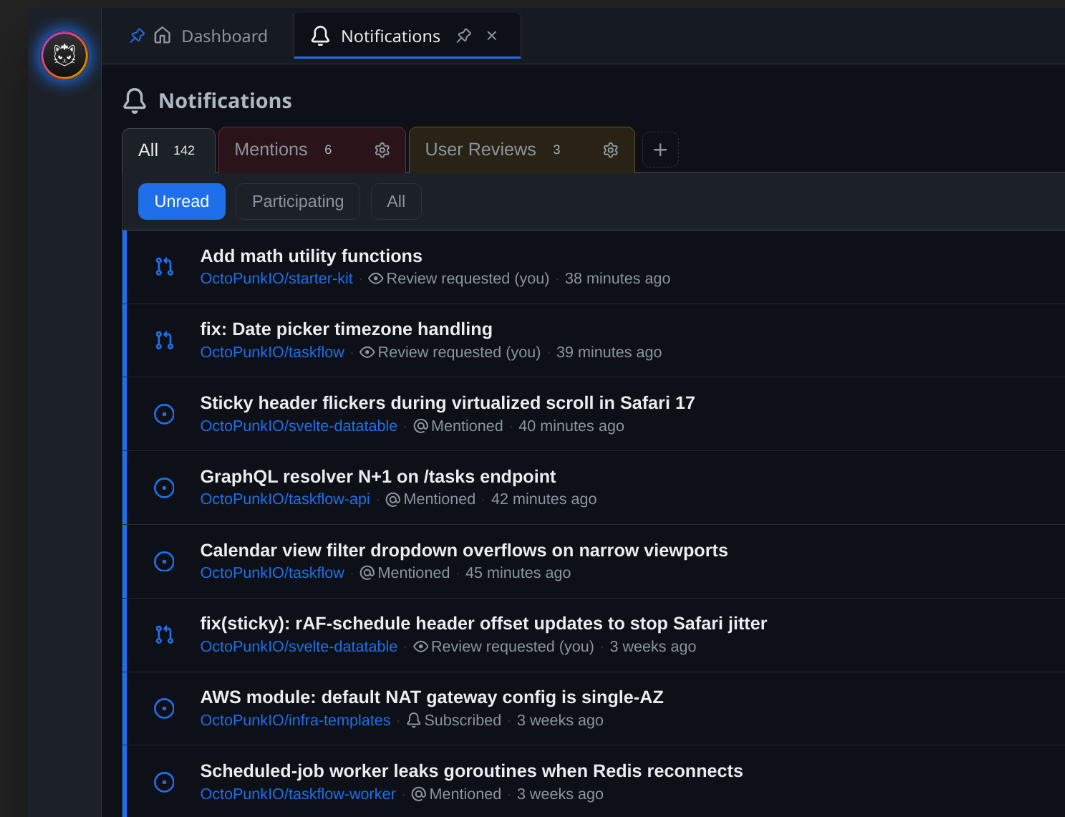
A filter can be given a query, a name, and a color to make it distinct from other filters.
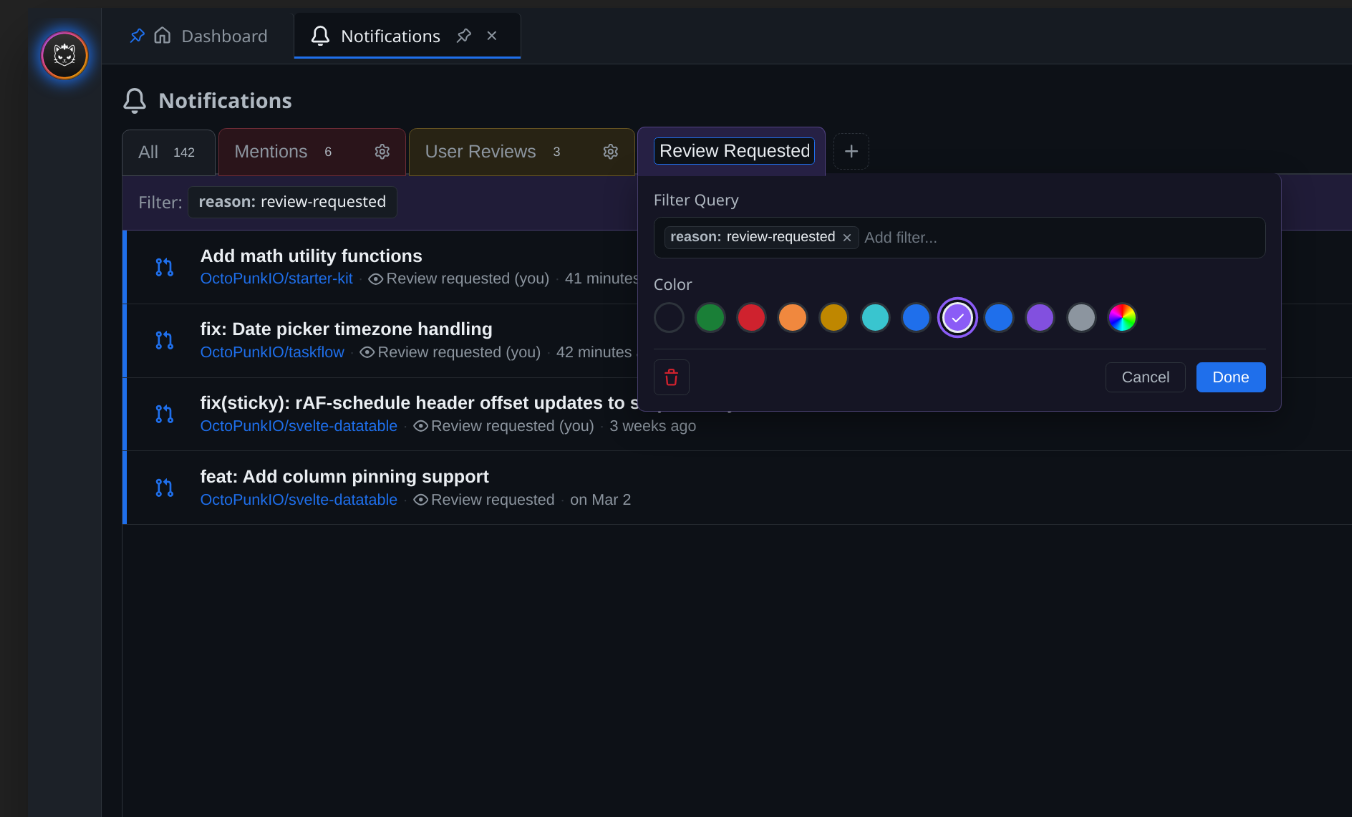
Each filter can be subscribed to by clicking the bell icon.
Once a filter is subscribed to, any notifications which match the filter are delivered to the dashboard's inbox.
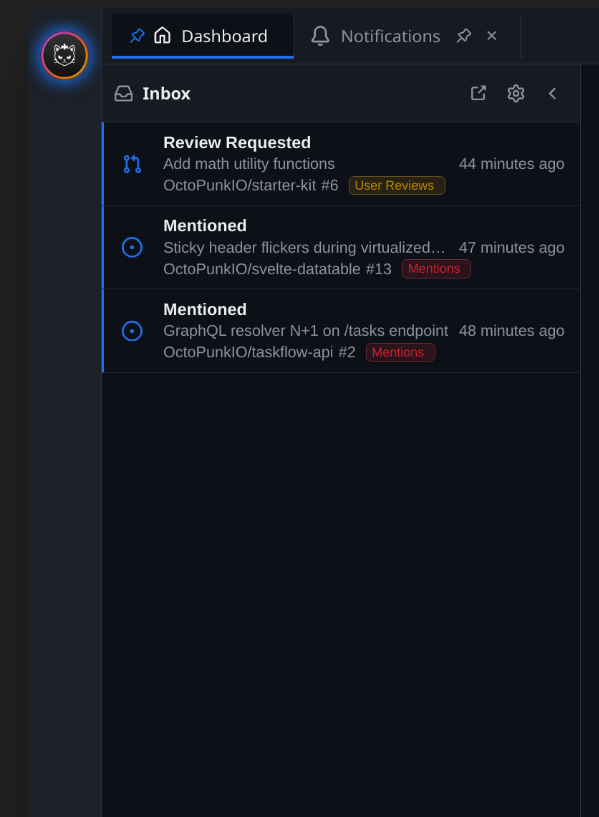
Each notification in the dashboard inbox has a pill which displays the source filter name and is colored corresponding to the color of the filter.
When OctoPunk first starts a default 'all' filter is subscribed to. For convenience, as soon as a custom filter is created and subscribed to, the 'all' filter can no longer be subscribed to. If you desire an 'all' filter after creating custom filters, simply create a filter with no query and subscribe to it.
OctoPunk specific queries
OctoPunk adds several notification filter queries made possible by its own post-notification enrichment phase.
reason: user-review-requested: This filter query matches review requested notifications only when they pertain directly to the user. This is opposed to the 'review-requested' filter which matches when teams and organizations the user is a part of are requested as well.
reason: team-review-requested: This filter query matches review requested notifications only when they pertain directly to a team the user is part of. This can be used to granularly filter for specific team review requests.