Introducing OctoPunk: who we are, what we're building, and how to try it
We've been living inside a browser tab for ten years. We want out.
GitHub is where the work happens, so the work has been stuck in Chrome, Firefox, or (shivers) Internet Explorer. Tab 14 is a pull request, tab 22 is an issue we meant to triage three days ago, the notifications bell is red and that means absolutely nothing. We've trained ourselves to ignore it.
OctoPunk is what we built when we couldn't take it anymore. Not a git GUI with a "Create PR" button bolted on, a real client for the GitHub platform. The whole thing. On the desktop, where you actually work.
The notification thing
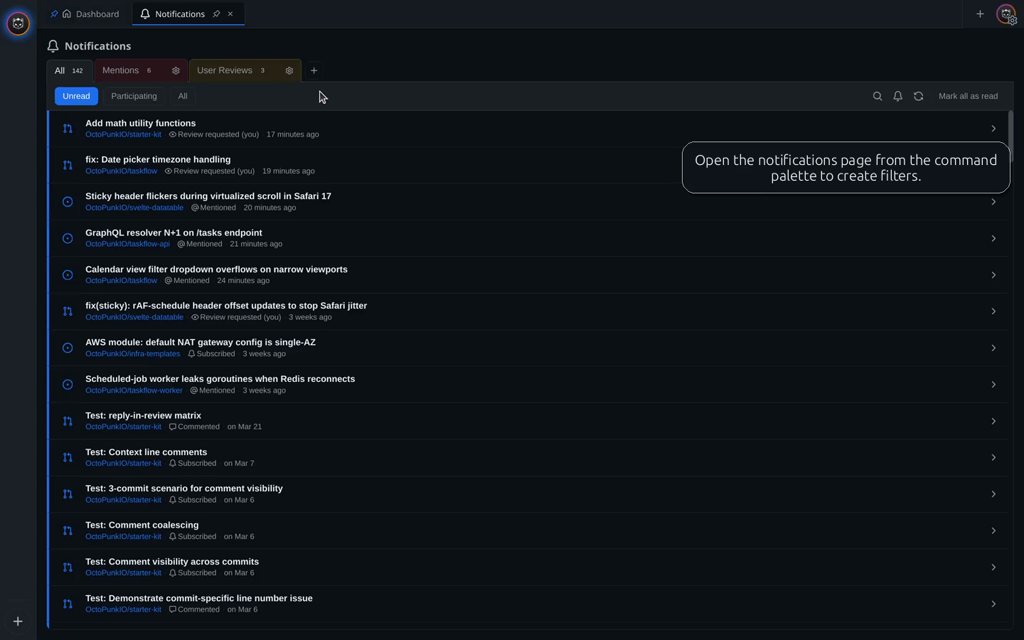
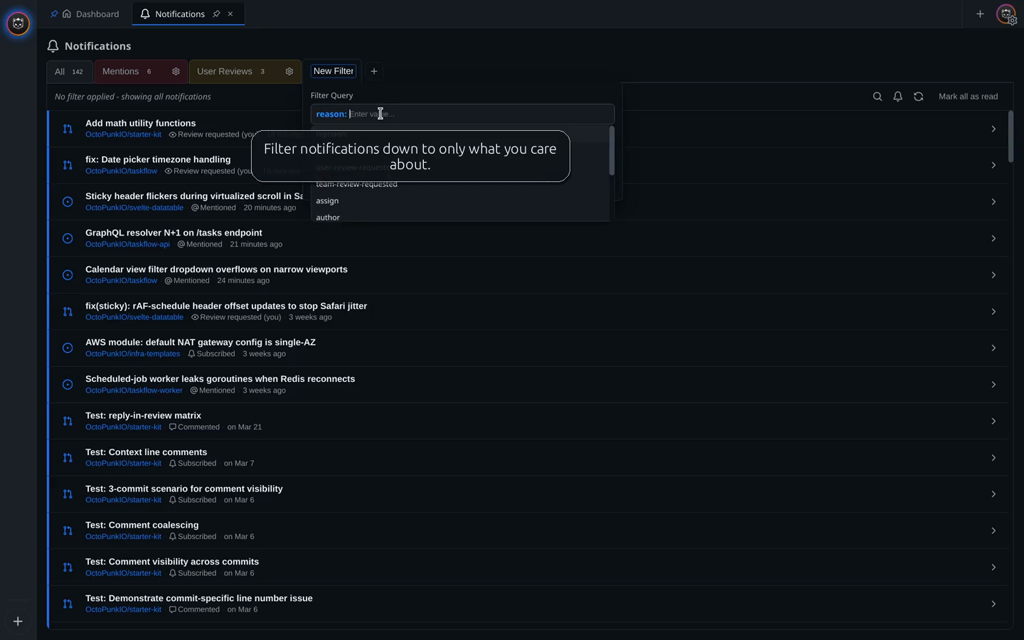
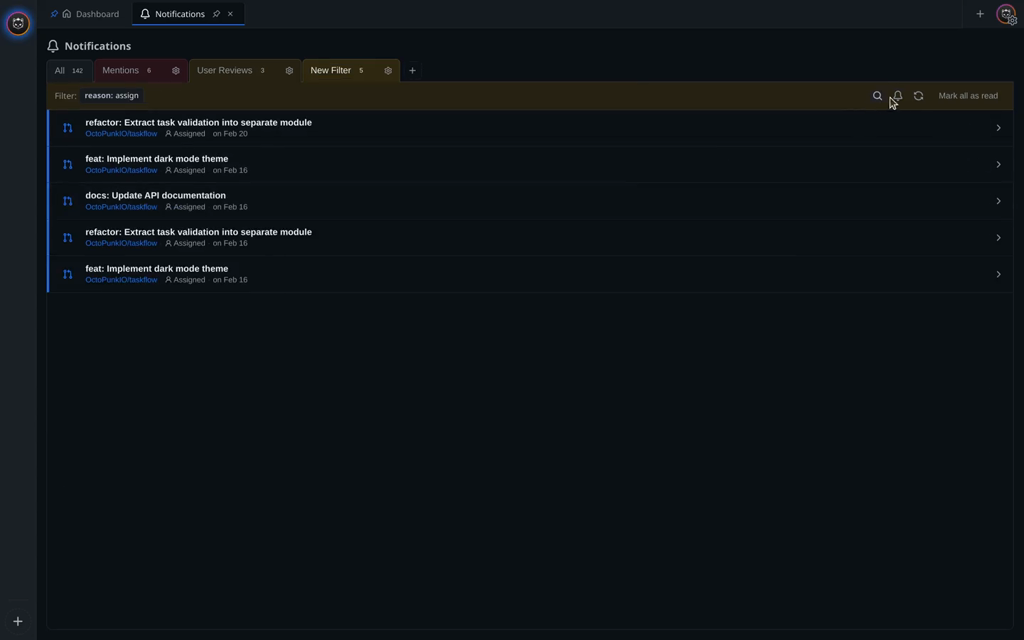
The first thing OctoPunk fixes is notifications. Anyone who has worked on a busy repo has seen this play out. GitHub gives you a firehose, no real filters, and a notification system that makes the things you actually care about hard to surface. Review requests assigned to a team you're on, for example. You end up either turning the bell off entirely or pretending it isn't blinking.
OctoPunk lets you build filters by query, same query language you already know from issue search. Each filter gets a name, a color, and a subscribe button. The matched notifications land in your dashboard inbox with a colored pill so you can tell at a glance what kind of thing each one is. It is the first time in a long time we haven't been mad at the notifications bell.
More in the notifications docs.
The dashboard
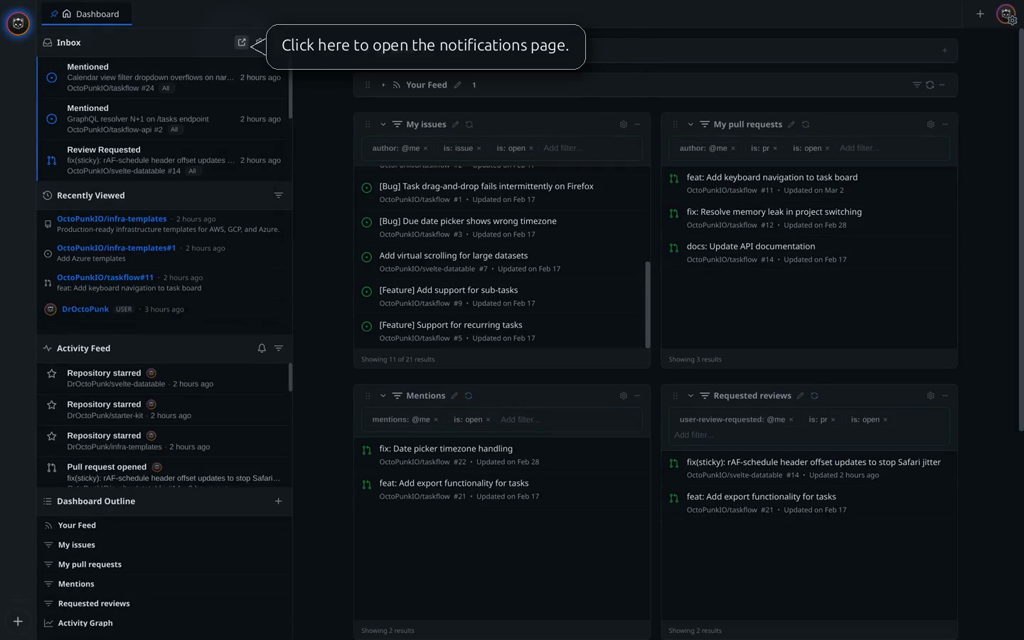
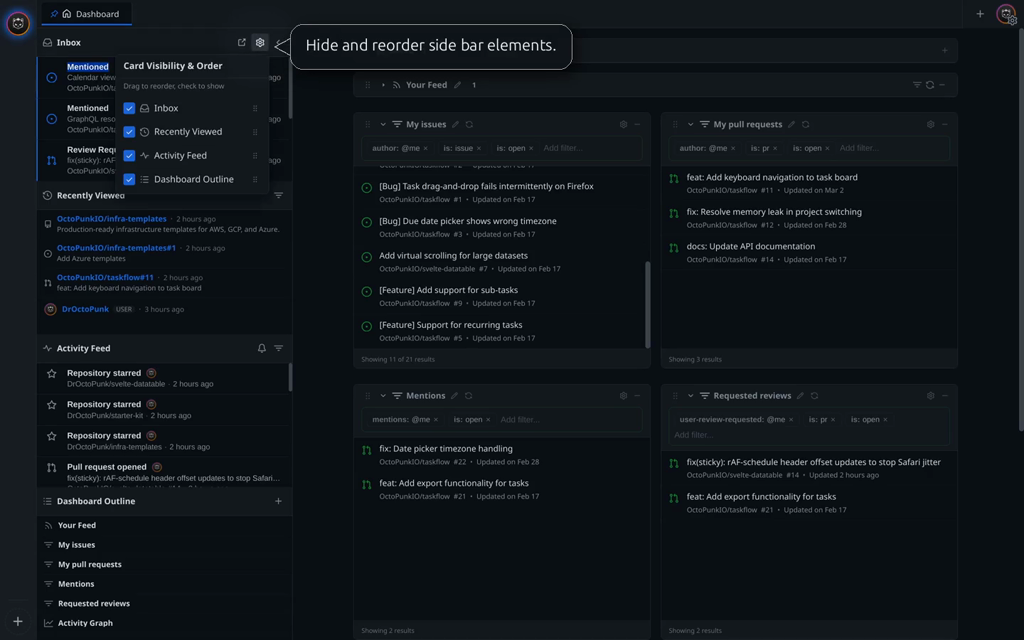
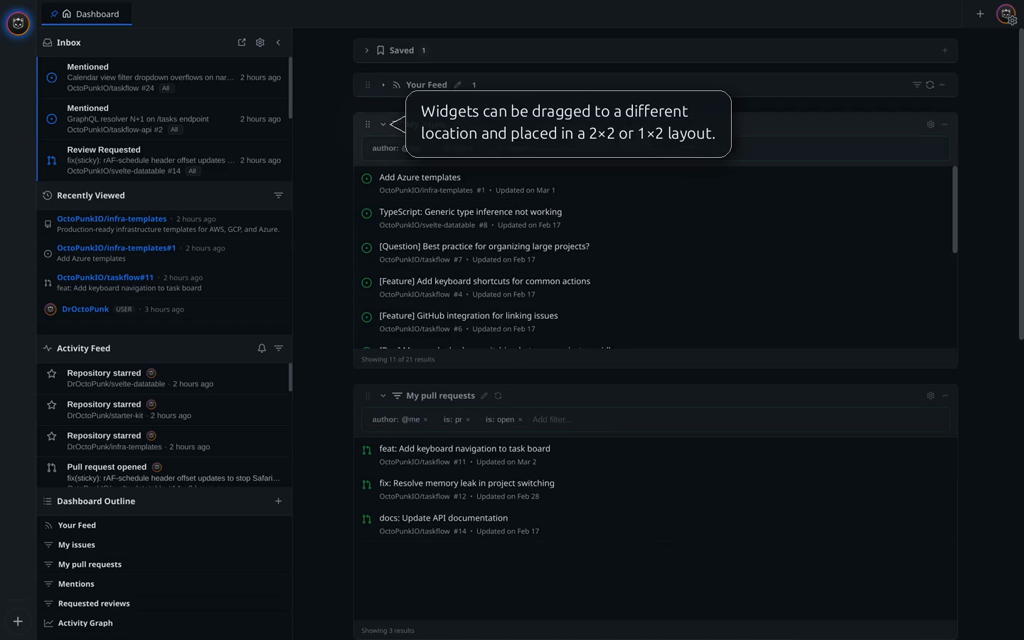
Open github.com and the first thing you see is a feed. An algorithmic scroll of stars, follows, and "someone you follow forked something three days ago". That made sense in 2010, when every web product was trying to be a social network. It does not make sense in 2026 if your job is shipping code. GitHub is not Instagram, and a timeline of stargazer activity is not a tool.
OctoPunk opens to a dashboard, not a feed. A customizable heads-up display you build yourself. Widgets are search queries, your activity feed (if you still want one), the GitHub activity graph, things like that. Drag them around, name them, build a layout that matches the streams of work you actually care about, ignore the rest. Search widgets take the full GitHub search syntax so you can express "all open PRs in my org that haven't been reviewed in three days" and just leave it on screen.
Navigation around the rest of the app keeps the same vibe. An omnibar for cross-repo GitHub search, recently visited items, and open tabs. A context-aware command palette that gives you different commands on a PR than on an issue or a user page. Both fuzzy searchable, both keyboard-first.
More in the dashboard, omnibar, and command palette docs.
Code intelligence
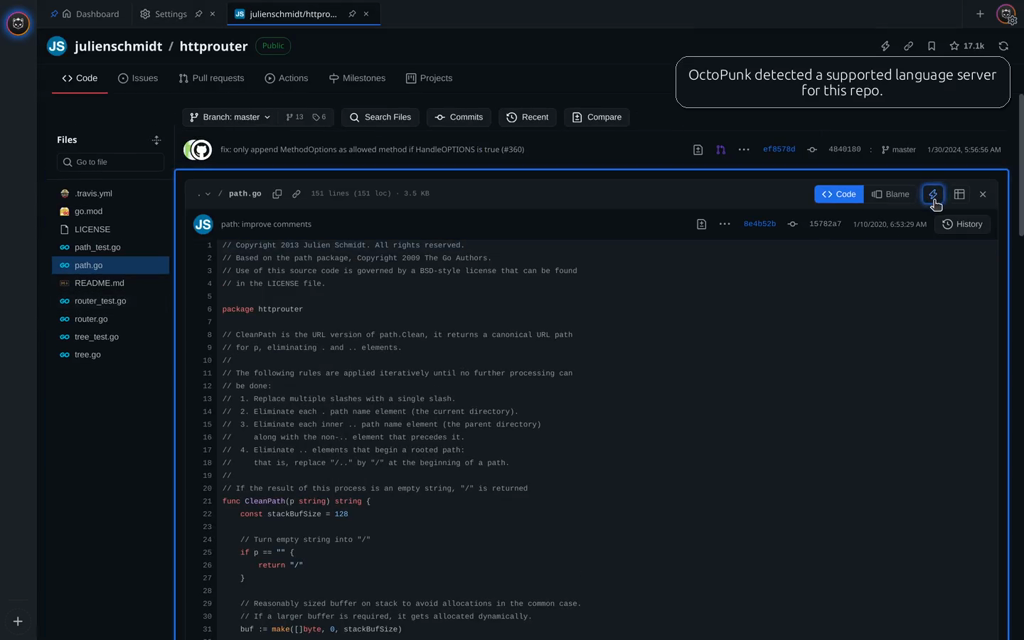
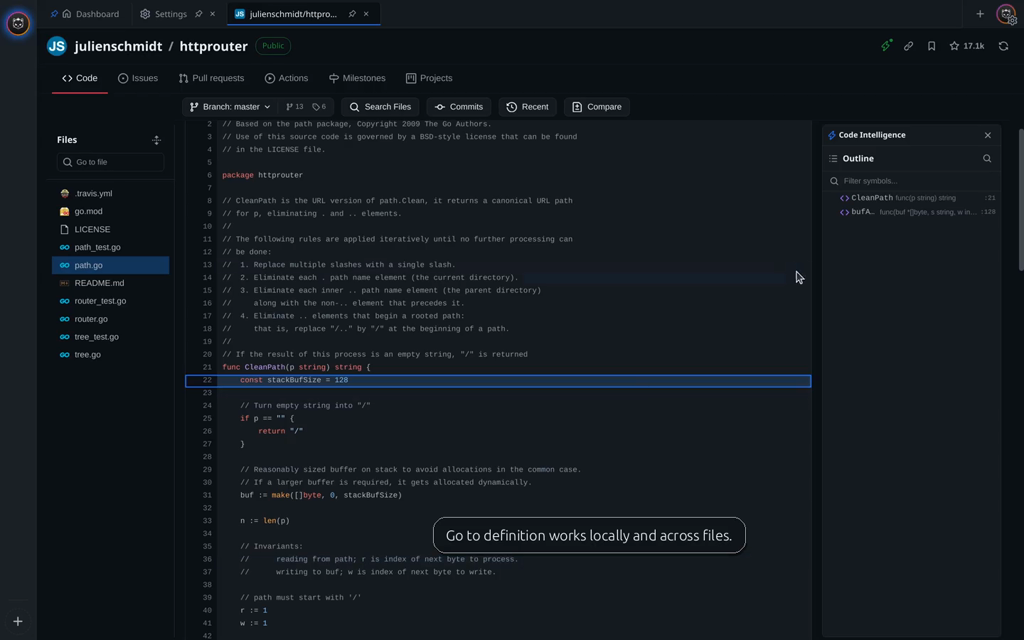
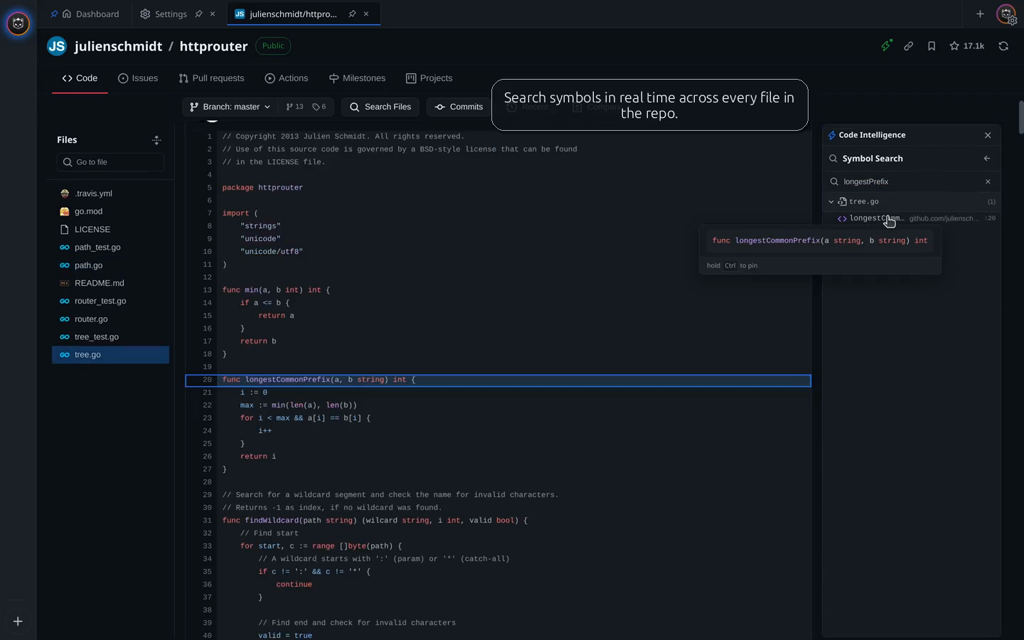
Code review is the thing we cared about most. Reading diffs in the GitHub web UI is fine for ten lines and miserable for two hundred. OctoPunk wires a local LSP into the file viewer. Hover for type info, jump to definitions, search symbols, all of it works on the code you are reviewing, in the same window. There is a per-repo settings panel for things like compile_commands.json for clangd, so the LSPs that need a bit of setup get one without sending you off to write a wrapper script.
More in the code intelligence docs.
Yes, AI
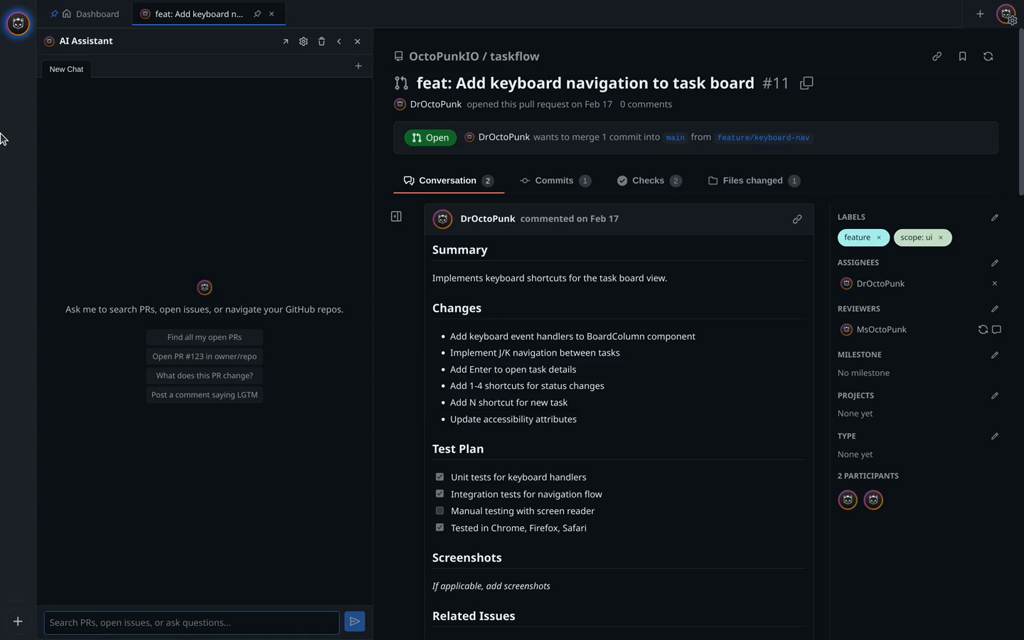
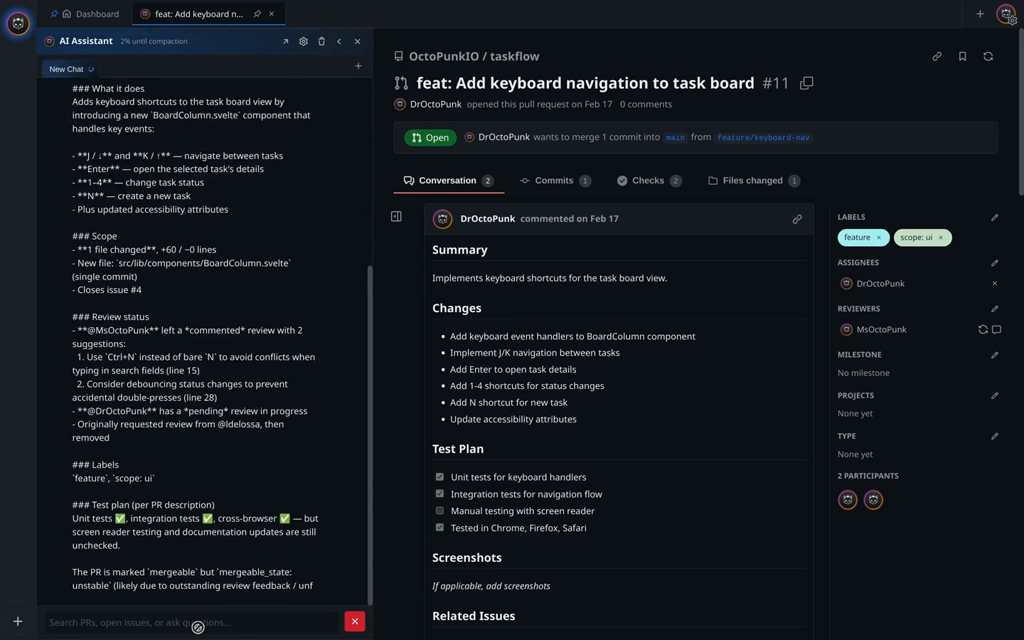
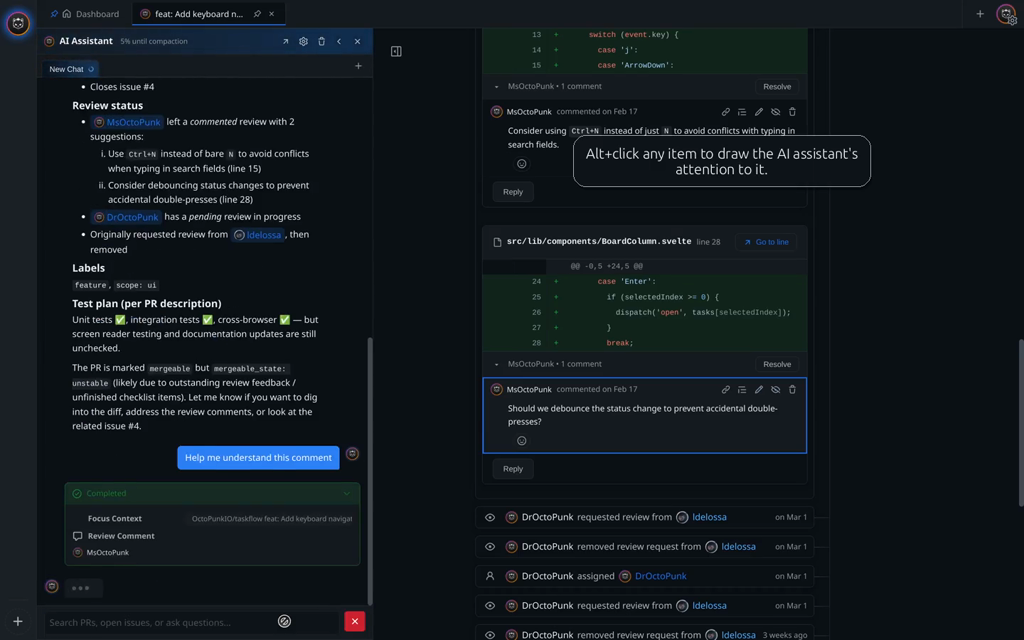
OctoPunk ships with an AI assistant. Everyone is shipping one. The interesting question tho, is what to do with it.
Hold Alt, click something on the page, and you've given the assistant a precise piece of context. A comment, a PR, a file, a user. From there you can ask specific things. "What is this PR actually changing?" "Draft a reply to this thread." "Summarize this conversation for me." Without a selection it gets the whole page as context and figures it out. It has tools for code review, comment drafting, fetching code it does not already have, and a few other things. You bring your own API key (Anthropic, Gemini, or OpenAI) so the conversation stays on a provider you trust.
More in the AI assistant docs.
The rest
The features above are the ones we wanted to call out first. They aren't the whole product. OctoPunk also handles pull requests end-to-end, issues, projects, discussions, releases, actions and CI workflows. None of them are clones of the GitHub web UI. Anywhere the platform has a surface, OctoPunk reworks it the way modern developer tools work. Outlines for navigating big PRs and issues. Context that stays with you when you jump between comments, files, and code. The rest is for future posts.
Why bother
If you spend serious time on GitHub, the browser is the wrong interface. OctoPunk is the only tool that gives you the actual GitHub platform on the desktop. Notifications you can triage. PRs you can review in one window. Issues, projects, discussions, actions, and a code-review surface with real LSPs. Keyboard-first, the whole thing, not a browser tab in sight.
Getting OctoPunk
OctoPunk is available now on the Mac App Store. Get OctoPunk, install it like any other Mac app, and updates arrive automatically through the App Store.
Free for public repositories. Private repositories need OctoPunk Pro, an App Store subscription.
- File issues at the community repo. Bugs, feature requests, just saying hi, all welcome.
What this is, and what it is not
OctoPunk is not a git GUI. There are great ones already, and you should be using one. lazygit, tower, fork are purpose-built tools that do git better than any "GitHub client" ever will. Interactive rebase, conflict editing, blame surfing, hunk-by-hunk staging, the works. Use them.
OctoPunk is geared for developers who treat git and GitHub as separate things. Git is the version-control tool. GitHub is the collaboration platform on top of it. We don't try to be both. Use your favorite git tool when you're shaping commits and branches. Use OctoPunk when you're working with the platform: reviewing PRs, triaging notifications, navigating issues, watching CI. The two coexist. That's the point.
Who we are: the punk in OctoPunk
Let's close this out with who we are as a software company.
We're a small team, tired in the specific way that comes from a decade-plus of tech-hype cycles. Crypto, NFTs, web3, the metaverse, agents-as-a-service, every other startup pitched as the future of [everything]. We sat through all of it. None of it changed how anyone we know fundamentally does their job.
No dark patterns. OctoPunk doesn't nag, doesn't sell your data, doesn't ask for information it doesn't need. Sign in once with GitHub, that's the deal. We collect what we need to keep the lights on and nothing else. No engagement metrics dressed up as features, no "growth tactics" that exist to make a chart go up at your expense.
Yes, we have AI. It's in the middle of its own hype cycle and the hot air is impressive. It's also genuinely useful in a few specific places, like understanding a sprawling PR you've never seen or summarizing a thread you don't have time to read. Those are the places we put it. No agents looping in the background, no "AI-first" rebrand, no charging extra for it. Bring your own key, use it when it helps, ignore it when it doesn't.
The punk in OctoPunk is the part that says no to all of the above.
Tell us what you think
Tell us what's broken. Tell us what's missing. Tell us what's slightly annoying. We built the filing workflow into OctoPunk so the friction is as close to zero as we could make it.
From inside the app, open the command palette and run ⌘+PReport a bug to file a bug. Or ⌘+PSuggest a feature to pitch one you want us to build. Both land in our community repo. Both get read.
We've been using OctoPunk full-time to build OctoPunk for a while now. It is good enough that the browser tab habit is finally breaking. We can't wait for you to try it.